

Packaging inventory is one of the most overlooked cost centres in product businesses. Order too much and you tie up cash in stock that sits in a warehouse, risks going obsolete, and takes up valuable space. Order too little and you face production shutdowns, missed ship dates, and expensive rush orders. Getting it right requires a system — not just a spreadsheet and a gut feeling. This guide gives you the practical framework to manage your packaging inventory intelligently.
Why Packaging Inventory Management Matters
Most businesses track product inventory carefully — but packaging often gets managed informally until a crisis forces attention. The consequences of poor packaging inventory management are significant:
- Stockouts halt production: A line that runs out of boxes shuts down regardless of how much product is ready to pack
- Rush orders are expensive: Emergency packaging runs typically cost 20–40% more than planned orders
- Overstock ties up cash: Packaging sitting in a warehouse is capital that could be deployed elsewhere (see the storage cost math for empty boxes)
- Obsolescence is costly: If your design changes, artwork changes, or a product is discontinued, excess packaging stock may be written off entirely
- Supplier lead times are real: Custom packaging typically has 2–6 week lead times — planning is not optional
Step 1: Build a Complete Packaging Inventory List
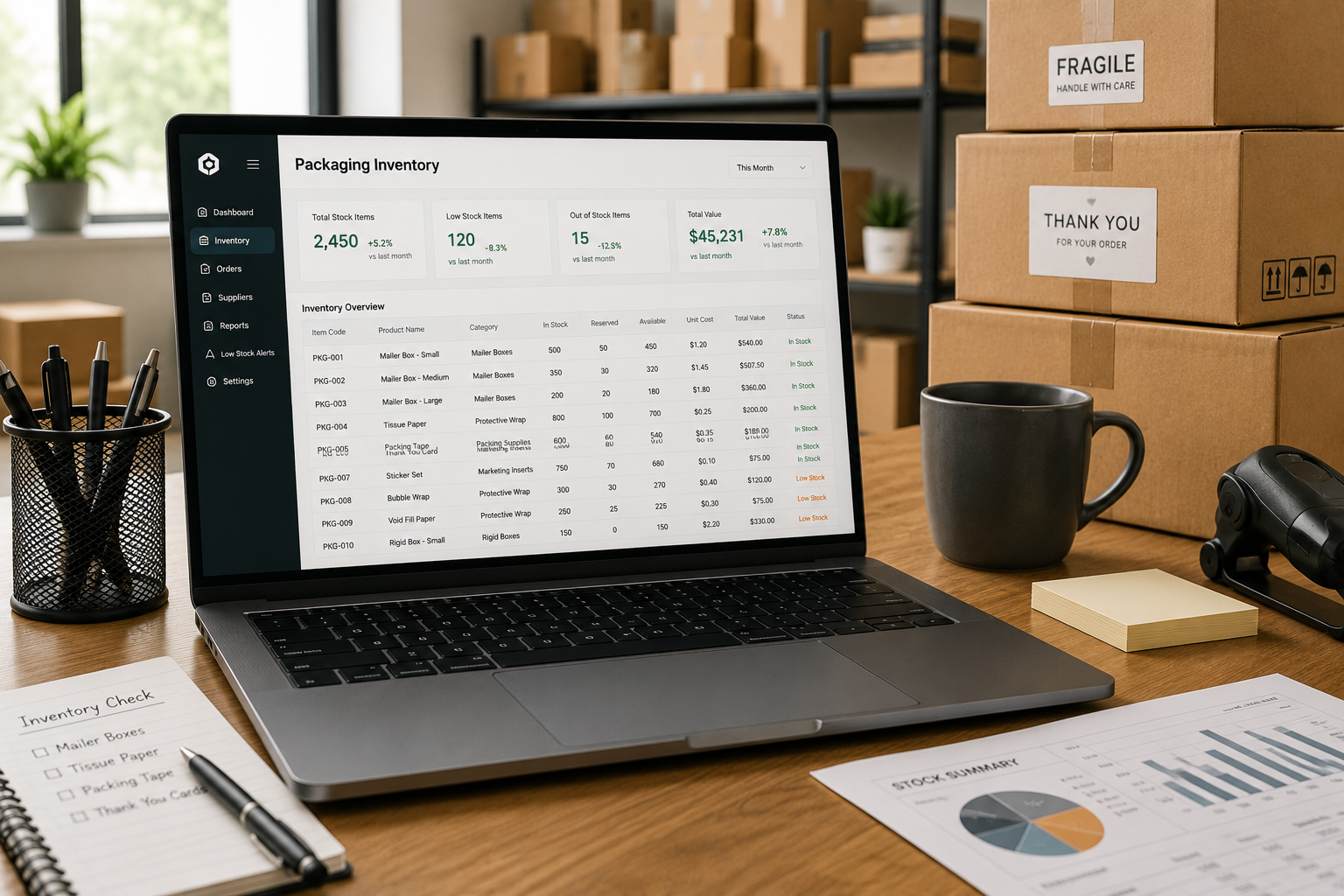
Before you can manage packaging inventory, you need a complete, accurate picture of everything you currently hold. Create a master packaging inventory register that includes every packaging component across your entire product range:
| Column | What to Record |
|---|---|
| SKU / Item Code | Unique identifier for each packaging component |
| Description | Box type, size, material, and print spec |
| Associated Products | Which products use this packaging component |
| Current Stock Level | Units on hand (counted physically) |
| Reorder Point | Stock level that triggers a new order |
| Reorder Quantity | How many units to order at reorder point |
| Supplier | Supplier name and contact |
| Lead Time | Days from order to delivery |
| Unit Cost | Cost per unit at current order quantity |
| Last Order Date | When the most recent order was placed |
Step 2: Calculate Your Reorder Point
The reorder point (ROP) is the stock level at which you place a new order — calculated to ensure new stock arrives before existing stock runs out. The formula is:
Reorder Point = (Average Daily Usage × Supplier Lead Time) + Safety Stock
For example: if you use 200 boxes per day and your supplier takes 14 days to deliver, your baseline reorder point is 2,800 units. Adding a safety stock buffer of 7 days (1,400 units) gives a reorder point of 4,200 units. When stock drops to 4,200, order immediately.
Key Variables to Factor In
- Demand variability: If your sales fluctuate seasonally, adjust your safety stock upward during high-demand periods
- Supplier reliability: If your supplier regularly delivers late, increase your safety stock to cover average delays
- Minimum order quantities (MOQs): Your reorder quantity must meet the supplier’s MOQ — factor this into your planning
Step 3: Set Up a Reorder Trigger System
A reorder point is only useful if someone sees it. You need a system that reliably flags when stock reaches the reorder point — before it becomes a crisis. Options range from simple to sophisticated:
- Spreadsheet with conditional formatting: Cells turn red when stock drops below the reorder point — simple and free, requires manual stock updates
- Inventory management software: Systems like Cin7, Unleashed, or inFlow automatically track stock and send reorder alerts
- ERP integration: Larger businesses can integrate packaging inventory into their ERP (SAP, NetSuite, etc.) alongside product inventory
- Physical bin card system: For small operations, a two-bin system (order when you open the second bin) is simple and reliable
Step 4: Forecast Demand Accurately
Reorder points are based on average usage — but usage changes with business growth, seasonality, and new product launches. Review your packaging consumption data regularly and update your reorder points accordingly.
- Monthly review: Compare actual usage to forecast and adjust if needed
- Seasonal adjustment: Pre-build packaging stock ahead of peak seasons (holiday, promotional periods)
- New product launches: Add new packaging SKUs to your inventory system before launch — not after you run out
- Discontinuations: When a product is discontinued, stop reordering its packaging and use up existing stock before write-off
Step 5: Manage Supplier Lead Times Proactively
Custom packaging suppliers operate on lead times, not just-in-time delivery. Understanding and working with these lead times is the most practical thing you can do to prevent packaging stockouts:
| Packaging Type | Typical Lead Time | Rush Order Availability |
|---|---|---|
| Stock (unprinted) corrugated | 1–5 days | Often same day |
| Custom printed folding carton | 10–21 days | Sometimes, at premium |
| Custom rigid boxes | 15–30 days | Limited; 20–40% surcharge |
| Collapsible rigid boxes | 20–35 days | Rarely available |
| Labels and stickers | 5–10 days | Usually available |
| Inserts / tissue / accessories | 7–14 days | Sometimes available |

Step 6: Reduce Packaging SKU Complexity
Every unique packaging SKU requires its own inventory management, its own reorder point, its own supplier relationship, and its own MOQ commitment. Over time, many businesses accumulate far more packaging variants than they need. SKU rationalization — identifying and consolidating redundant packaging sizes or formats — reduces inventory complexity and often reduces per-unit cost through higher consolidated volumes.
Step 7: Conduct Regular Physical Stock Counts
Paper records and software records drift from physical reality over time. Regular counts keep your data accurate:
- Full count: Count all packaging inventory once per quarter or twice per year
- Cycle counts: Count a rotating subset of packaging SKUs weekly or monthly — catches discrepancies without disrupting operations
- Damage and write-off review: Identify and record damaged or obsolete packaging during counts to keep records accurate
Packaging Inventory Management Checklist
- ☑ Complete master register of all packaging SKUs
- ☑ Reorder points calculated for each SKU
- ☑ Reorder trigger system in place (software or manual)
- ☑ Supplier lead times documented and factored into safety stock
- ☑ Demand forecast reviewed monthly
- ☑ Seasonal stock build planned in advance
- ☑ Physical counts conducted quarterly
- ☑ SKU rationalization reviewed annually
- ☑ Discontinued product packaging run-down managed actively

Partner with a Reliable Packaging Supplier
Even the best inventory management system is only as good as the supplier behind it. A packaging partner with reliable lead times, consistent quality, and proactive communication makes inventory management dramatically easier. PackPro works with businesses of all sizes to provide consistent, on-time packaging supply with clear lead time commitments. Contact PackPro today to discuss how a reliable packaging partnership can simplify your inventory management.
Related Reading
- How to Reduce Packaging Costs Effectively
- Top 5 E-Commerce Packaging Designs That Increase Sales
- Advantages of Using Corrugated Boxes
Frequently Asked Questions
How do I calculate a reorder point for my packaging inventory?
The reorder point formula is: (Average Daily Usage × Supplier Lead Time) + Safety Stock. For example, if you use 200 boxes per day and your supplier takes 14 days to deliver, your baseline reorder point is 2,800 units — add a safety stock buffer of 7 days (1,400 units) and you get a reorder point of 4,200 units. When stock drops to that level, place your next order immediately.
What are the most common mistakes businesses make with packaging inventory?
The most common mistakes are managing packaging inventory informally without documented reorder points, failing to account for supplier lead times until a stockout occurs, and holding excess stock of packaging that becomes obsolete when designs or products change. Businesses also frequently underestimate how much safety stock is needed to absorb seasonal demand spikes or supplier delays.
What software tools work best for tracking packaging inventory?
For small businesses, a well-structured spreadsheet with conditional formatting for reorder alerts is a practical starting point. Growing businesses benefit from dedicated inventory management software such as Cin7, Unleashed, or inFlow, which automate reorder alerts and integrate with sales and production data. Larger operations can integrate packaging inventory directly into their ERP system alongside product stock.
How often should I conduct a physical packaging inventory count?
A full physical count of all packaging inventory should be conducted at least once per quarter, or twice per year at minimum. Between full counts, cycle counting — where a rotating subset of packaging SKUs is counted weekly or monthly — helps catch discrepancies without requiring a full operational shutdown. Annual counts should also include a review for damaged, obsolete, or discontinued packaging that should be written off.
How can I reduce the number of packaging SKUs I need to manage?
SKU rationalization involves auditing your full range of packaging components and identifying opportunities to consolidate — for example, using one box size across multiple products instead of custom sizes for each, or standardizing on a single tissue paper color across all product lines. Reducing packaging SKU count simplifies inventory management, lowers MOQ thresholds, and often reduces per-unit cost through higher consolidated order volumes.