
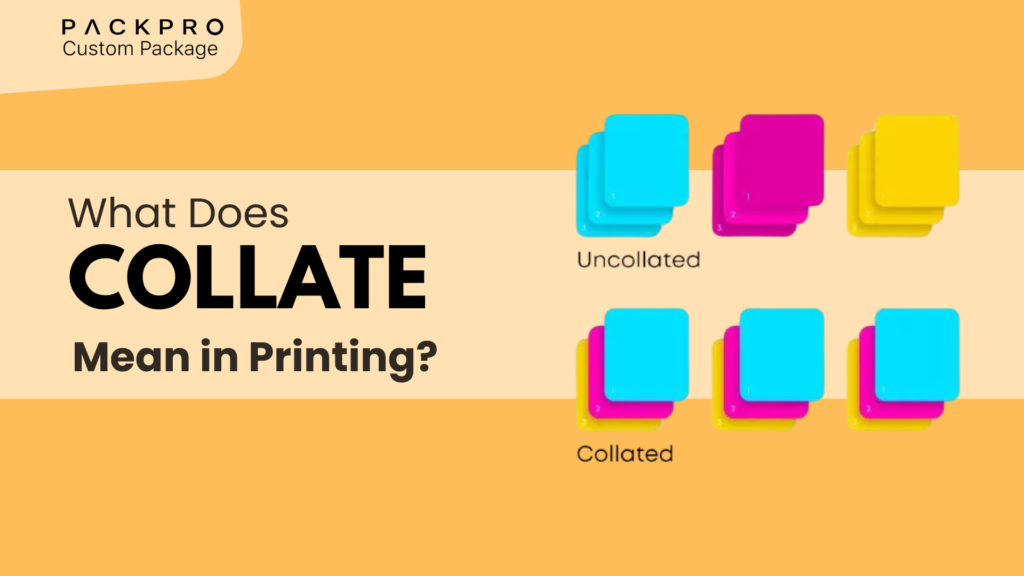
You’re about to print 50 copies of a five-page document, and you notice a checkbox labeled “Collate.” Do you check it or leave it unchecked? Most people guess — but understanding what collate means can save you significant time sorting through stacks of paper, and in professional printing and packaging, it determines how entire print jobs are organized. This guide explains everything clearly.
What Does “Collate” Mean?
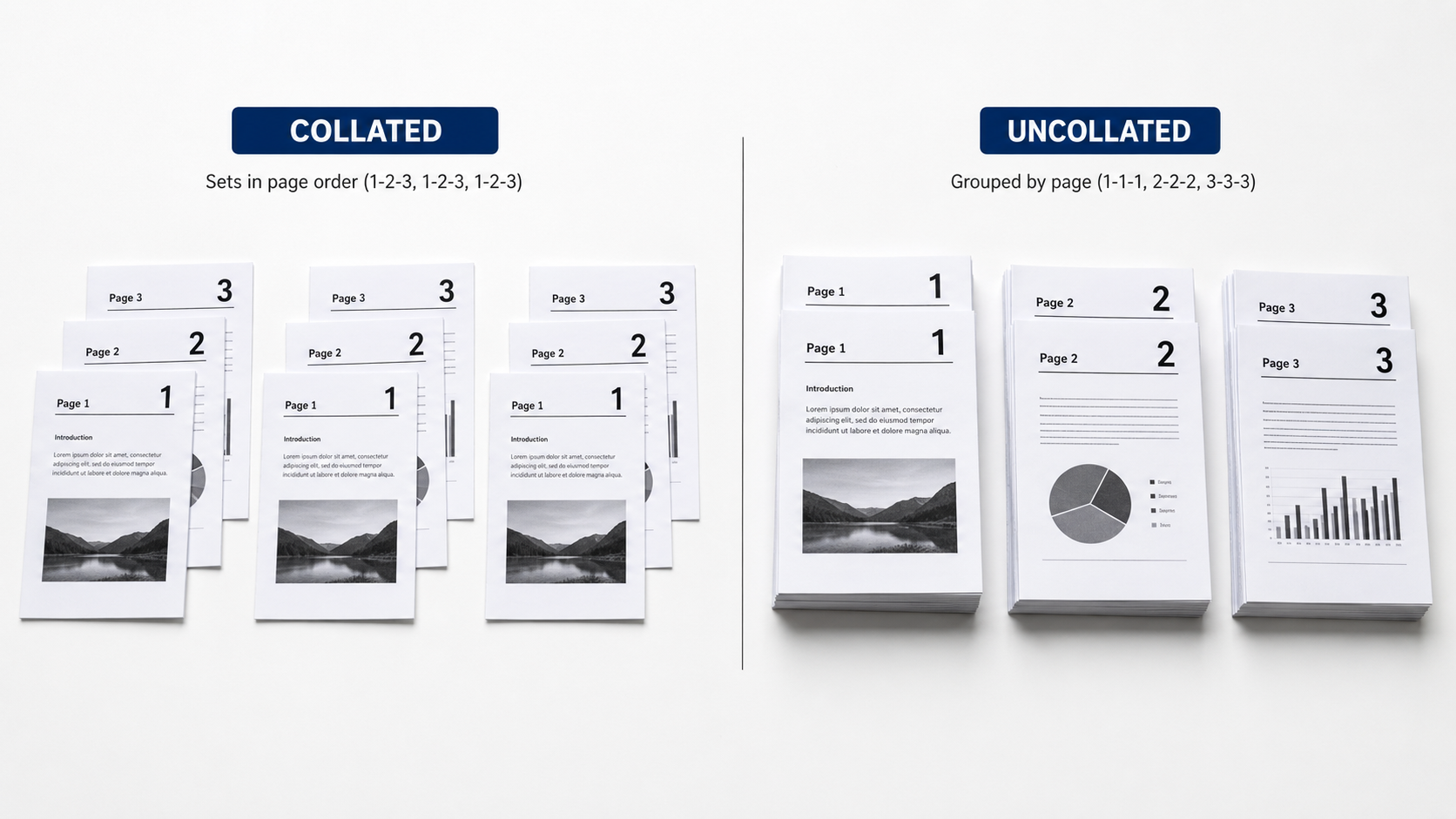
In printing, collate means to print multiple copies of a multi-page document in sequential order, so that each complete set is grouped together. Instead of printing all copies of page 1, then all copies of page 2, collating outputs complete sets: pages 1-2-3-4-5, then 1-2-3-4-5 again, and so on.
The word “collate” comes from the Latin collatus, meaning “to bring together.” That’s exactly what it does — brings the pages of each copy together in the right order.
Collated vs. Uncollated: What’s the Difference?
| Setting | Output Order (3 copies of a 4-page doc) | Best For |
|---|---|---|
| Collated | 1-2-3-4, 1-2-3-4, 1-2-3-4 | Documents that will be distributed as complete sets |
| Uncollated | 1-1-1, 2-2-2, 3-3-3, 4-4-4 | Documents that will be cut, stacked separately, or processed by page |
Collated Printing — When to Use It
- Printing reports, proposals, or brochures that will be handed out as complete packets
- Preparing product inserts that include multiple pages (instructions, warranties, etc.)
- Printing booklets or catalogues where page order matters for the reader
- Any job where sets need to be stapled or bound and distributed immediately
Uncollated Printing — When to Use It
- Printing individual sheets that will be cut down (like business cards or sticker sheets)
- Producing box panels printed on separate sheets before die-cutting and assembly
- Print jobs where identical pages will be stacked in trays for later assembly
- High-speed commercial jobs where collating is handled by finishing equipment downstream
Collating in Commercial and Packaging Print
Multi-Panel Box Printing
When a box design is printed across multiple sheets, collating ensures matching sets go to the assembly line together. A mismatched set — lid from one print run, base from another — can cause color inconsistencies that are visible to customers.
Insert and Literature Printing
Many packaged products include multi-page inserts — instructions, safety guides, warranty cards. When these are printed and collated correctly, packing line workers simply grab a set and insert it without needing to sort pages.
Sample and Swatch Books
Packaging suppliers often produce sample books with material swatches, finish options, and price sheets. These need to be collated so each recipient gets one complete book.
Does Collating Affect Print Speed?
Yes — collated printing typically takes longer than uncollated printing because the printer must complete each set before starting the next.
| Job Type | Collated Speed Impact | Notes |
|---|---|---|
| Desktop/office printers | Slight slowdown | Minimal on modern printers with adequate memory |
| Digital commercial printers | Minimal — handled digitally | RIP software manages collation automatically |
| Offset printing | Handled by finishing (not press) | Collating done post-press by folding/binding equipment |
| Large-volume inkjet | May slow per-sheet rate | Trade-off for eliminating manual sorting labor |

Collating vs. Stapling vs. Binding: Understanding Print Finishing
- Collating — arranges pages into correct sets in sequence
- Stapling/saddle-stitching — binds the collated set at the spine or corner
- Perfect binding — glues collated pages into a book block with a spine cover
- Folding — folds collated sheets into booklets or brochures
- Trimming/cutting — cuts finished collated sets to final dimensions
Common Collating Mistakes to Avoid
- Forgetting to enable collate for multi-copy jobs — results in unsorted stacks that require manual reordering
- Assuming collate is on by default — always verify printer settings before large runs
- Collating single-page documents — unnecessary and slows the job without benefit
- Mixing collated and uncollated output — creates inconsistencies in assembly lines
- Not checking collation on proofs — always review a collated proof before approving a commercial print run
Collating in the Context of Packaging Production
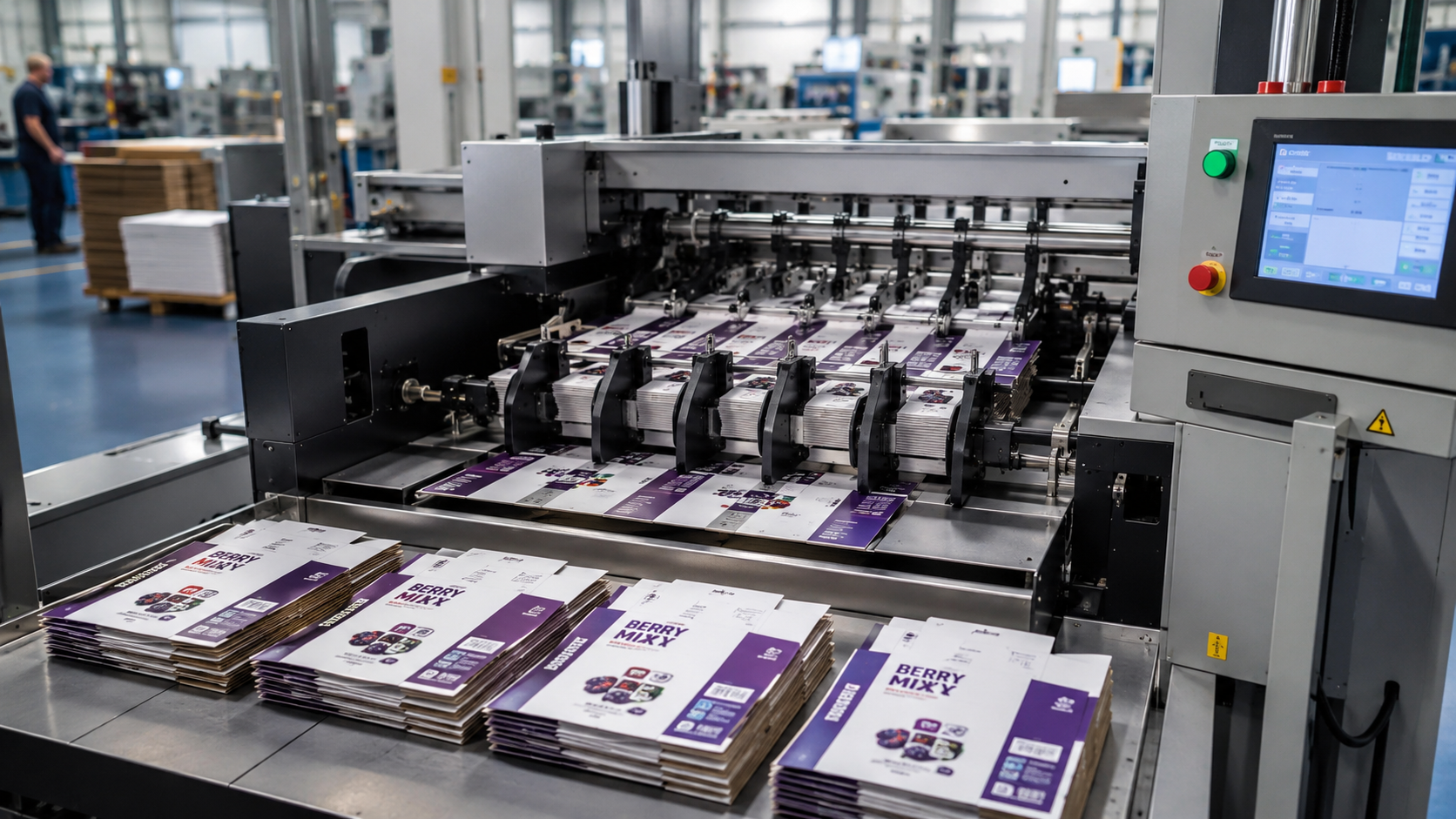
For brands ordering printed packaging components — inserts, instruction booklets, warranty cards, multi-panel labels — specifying collation correctly in your print brief ensures that finishing and packing operations run without interruption.
When working with a packaging supplier, always clarify:
- Whether inserts should be collated and pre-folded or flat-stacked
- Whether multi-sheet sets are collated before delivery or delivered as separate page stacks
- Whether your packing line has collating equipment or requires pre-collated delivery
Need Help with Your Packaging Print Specifications?
Getting print specifications right — including collation, finishing, and assembly requirements — is where experienced packaging suppliers earn their value. PackPro’s team understands every step of the packaging print process and can help you specify, proof, and produce packaging components that arrive ready to use. Contact PackPro today to discuss your packaging print needs.
Related Reading
- Matte vs Gloss Finish Boxes: Benefits and Differences
- Box Templates Explained: How to Create and Use Them
- What Do Colored Dots on Packaging Mean?
Frequently Asked Questions
What is the difference between collated and uncollated printing?
Collated printing outputs complete sets of a multi-page document in sequential order (e.g., 1-2-3-4, 1-2-3-4), so each copy is ready to use immediately. Uncollated printing groups all copies of each page together (e.g., 1-1-1, 2-2-2), which is useful when pages will be processed separately or assembled by finishing equipment.
Does collating slow down printing?
On desktop and office printers, collating can cause a slight slowdown because the printer must complete each full set before starting the next copy. On digital commercial printers, collation is managed by the RIP software with minimal impact on throughput.
Should I collate when printing packaging inserts?
Yes — if your product inserts are multi-page documents such as instruction booklets or warranty cards, collating ensures that packing line workers receive complete, correctly ordered sets ready to drop into boxes.
When should you choose uncollated printing?
Uncollated printing is the right choice when each page of a print job will be processed independently — for example, when printing business cards or sticker sheets that will be cut down, or when box panels are printed separately before die-cutting and assembly.
How does collation affect packaging production workflows?
Incorrect collation in packaging production can halt packing lines, increase labor costs, and cause delivery delays. When multi-panel box components or product inserts arrive uncollated when collated sets are expected, workers must manually sort and match pages before assembly can begin.